Skip to content
Weaveweave / fleet
Install Fleet
Docs/Extend/Mods showcase

Mods showcase

Real Fleet mods. Seven draw on tool rows (build errors, git status, HTTP status, lint, file sizes, search hits); three, from Fleet 0.51.0, add context to a prompt, queue a follow-up and refuse a push; two, from 0.51.0, add a working button and a pane. Each comes with a prompt you can give an agent.

Every screenshot here is Fleet’s own conversation, running a real OpenCode session on a small invented project, with the real mod. Nothing is mocked up. In Fleet 0.50.0 a mod draws on a tool row: the row’s line, and the body you see when you open the row. The three mods under Beyond tool rows do more than draw: they add context to a prompt (or reword it), queue a follow-up and refuse an agent’s ask. Those hooks, working buttons and panes need Fleet 0.51.0 or later.

You don’t have to write any of these. Copy the prompt under a card into a session and the agent writes the mod as a draft that runs in that session only. You review it, and keep it if you like it. Each mod below is under 100 lines.

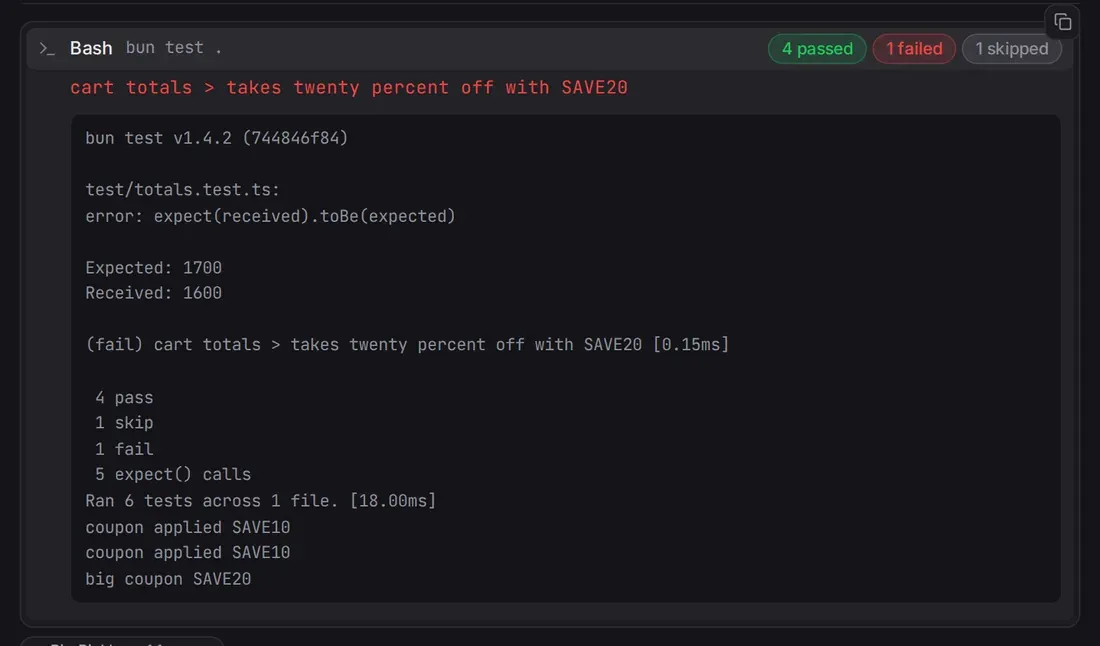
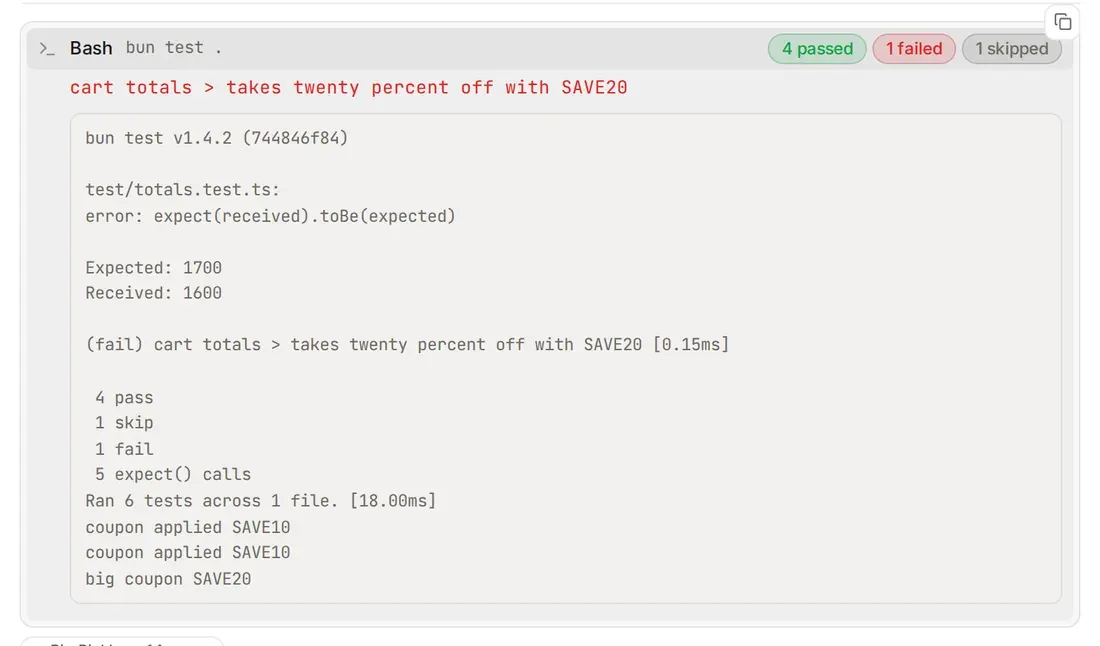
A bun test row with the chips 4 passed, 1 failed and 1 skipped, opened to show the failing test name in red above Fleet's outputA bun test row with the chips 4 passed, 1 failed and 1 skipped, opened to show the failing test name in red above Fleet's output

test-chips

Test runs become passed, failed and skipped counts on the row; open it and the failing test names come first.

Ask an agent: Show test results as passed, failed and skipped counts on test rows, and list the failing tests when I open the row.

100 lines · Or install the sample: Settings → Mods → Showcase → Add

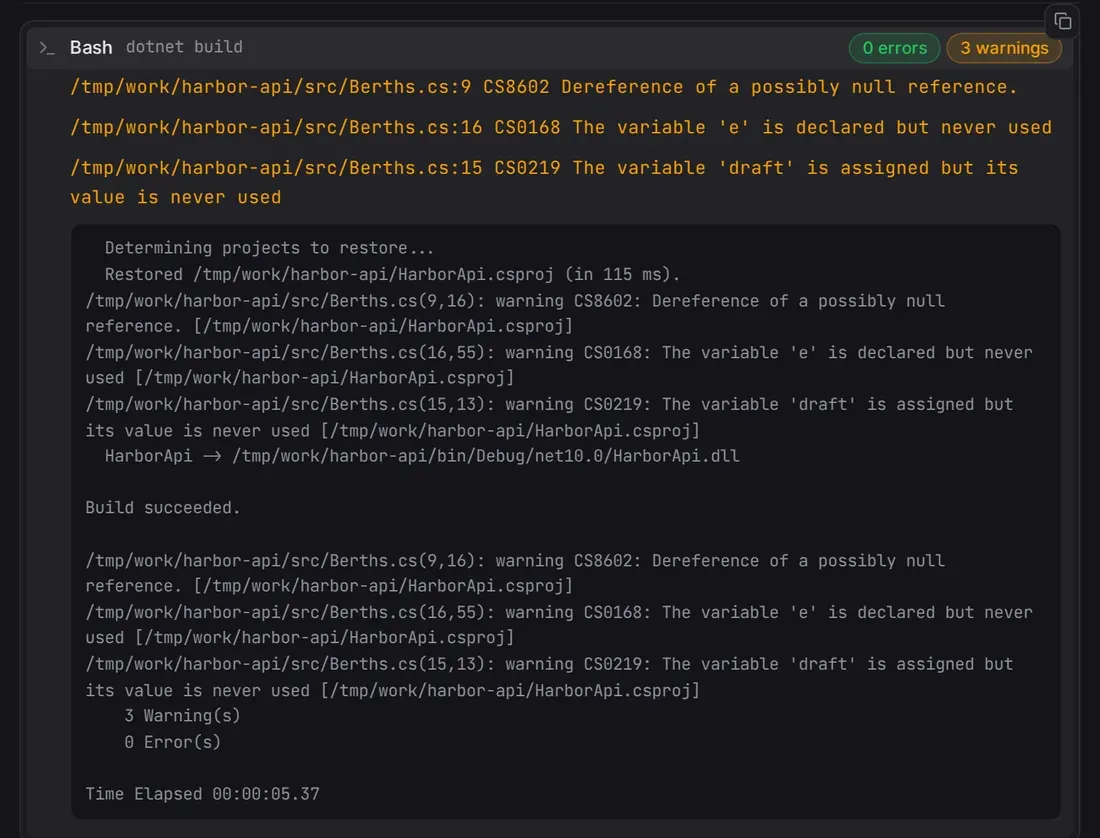
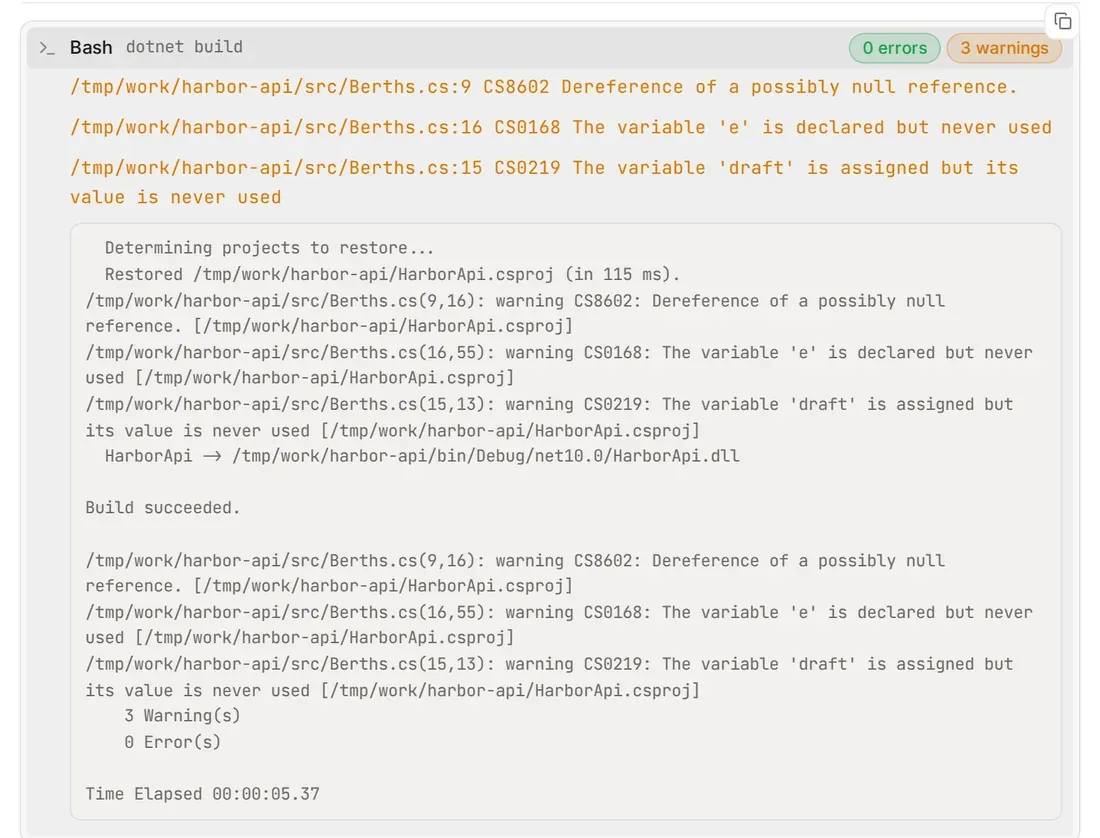
A dotnet build row with the chips 0 errors and 3 warnings, opened to list the three warnings with file and lineA dotnet build row with the chips 0 errors and 3 warnings, opened to list the three warnings with file and line

build-summary

dotnet build, tsc, cargo build and go build rows get error and warning counts; open one for the first findings with file and line.

Ask an agent: Show build errors and warnings as counts on build rows, and list the first few with file and line when I open the row.

87 lines · Or install the sample: Settings → Mods → Showcase → Add · Read the source

A git status row with the branch main and the chips 1 staged, 3 modified and 2 untracked, and a git log row with 12 commitsA git status row with the branch main and the chips 1 staged, 3 modified and 2 untracked, and a git log row with 12 commits

git-glance

git status says how many files are staged, modified and untracked; git log --oneline says how many commits.

Ask an agent: Show git status as staged, modified and untracked counts on its row, and git log as a commit count.

84 lines · Or install the sample: Settings → Mods → Showcase → Add · Read the source

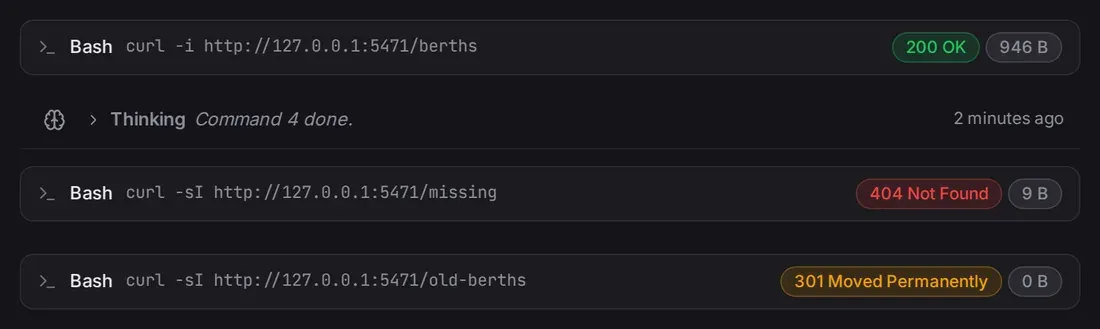
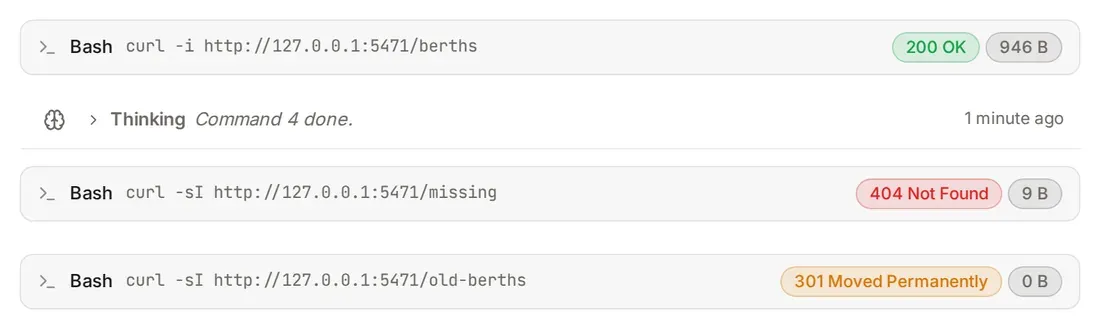
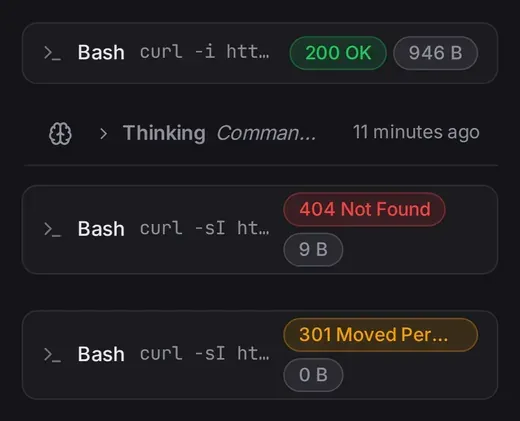
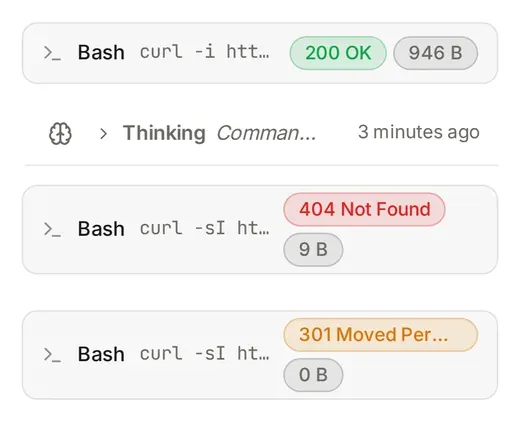
Three curl rows with the pills 200 OK 946 B in green, 404 Not Found in red and 301 Moved Permanently in amberThree curl rows with the pills 200 OK 946 B in green, 404 Not Found in red and 301 Moved Permanently in amberThe same curl rows on a phone: the pills wrap under the commandThe same curl rows on a phone: the pills wrap under the command

http-check

curl -i and curl -sI rows show the status as a green, amber or red pill, with the size when the server sent Content-Length.

Ask an agent: Show the HTTP status of curl -i and curl -I as a coloured pill on the row, with the size if there is a Content-Length.

41 lines · Or install the sample: Settings → Mods → Showcase → Add · Read the source

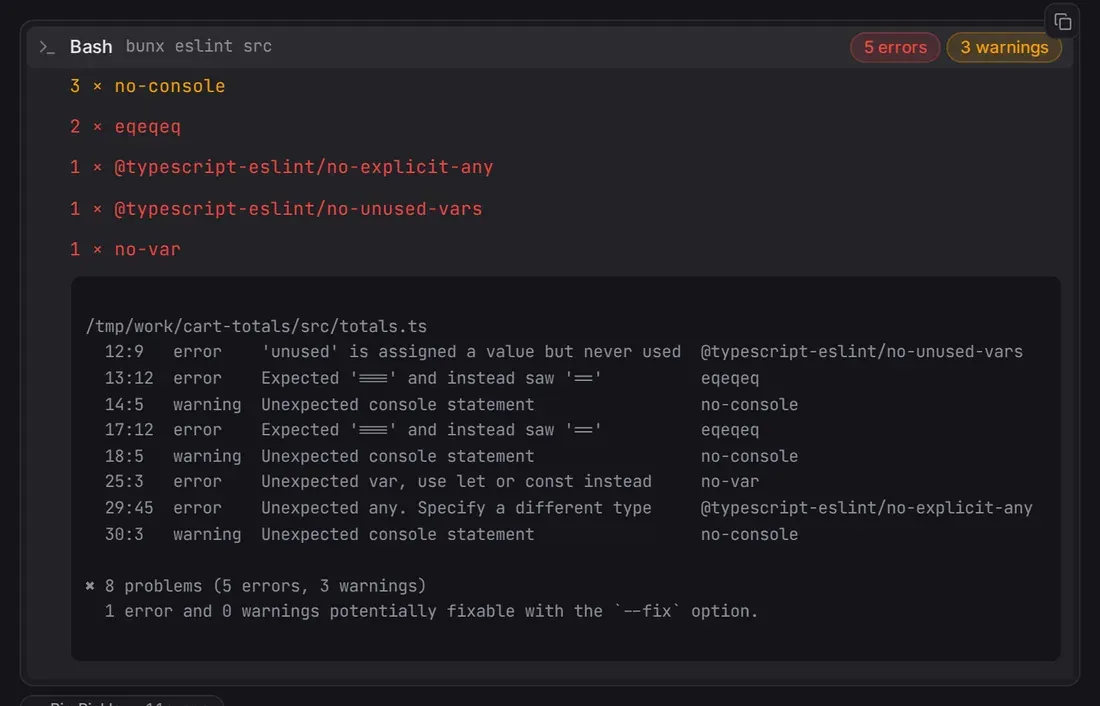
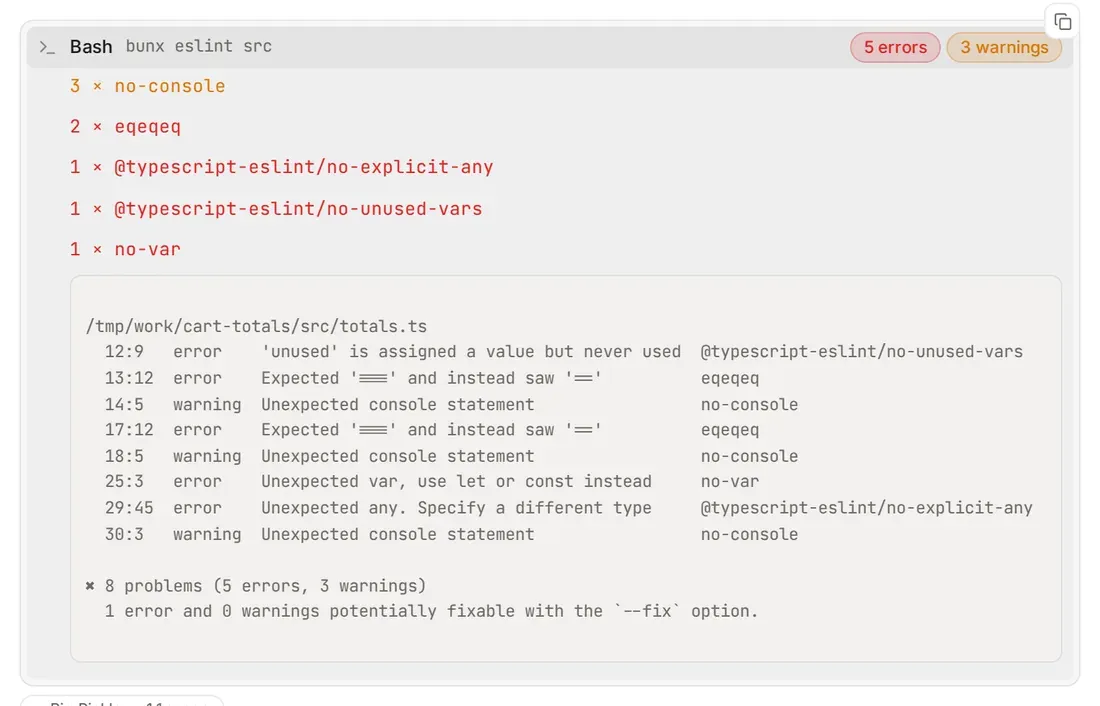
An eslint row with the chips 5 errors and 3 warnings, opened to list no-console three times, eqeqeq twice and three single-hit rulesAn eslint row with the chips 5 errors and 3 warnings, opened to list no-console three times, eqeqeq twice and three single-hit rules

lint-summary

ESLint and ruff runs get error and warning counts; open the row and the problems are grouped by rule, most-hit first.

Ask an agent: Show ESLint and ruff results as error and warning counts, and group the problems by rule when I open the row.

73 lines · Or install the sample: Settings → Mods → Showcase → Add · Read the source

Two write rows with the pills +47 and +28Two write rows with the pills +47 and +28

edit-size

File writes and patches get a +12 −3 pill. Fleet already counts edits, so this fills in the rows that had no count.

Ask an agent: Show how many lines a write or patch tool call added and removed as a pill on its row.

36 lines · Or install the sample: Settings → Mods → Showcase → Add · Read the source

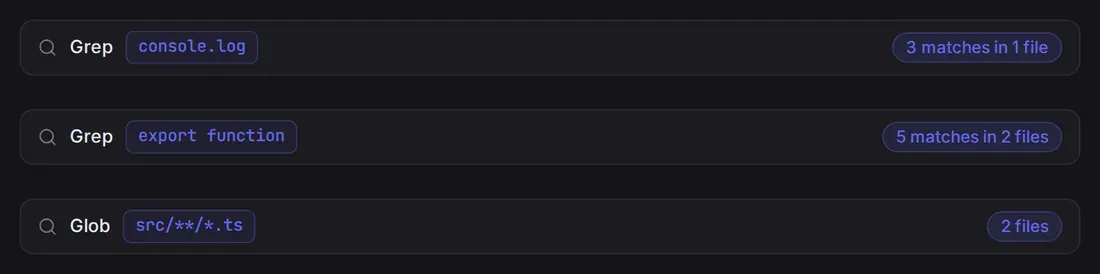
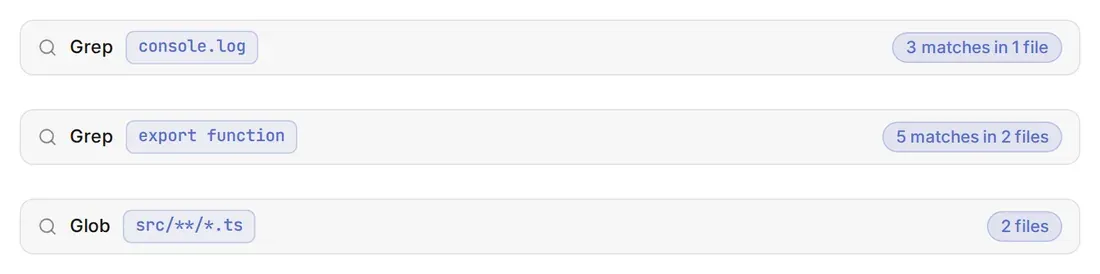
Two grep rows and a glob row with the pills 3 matches in 1 file, 5 matches in 2 files and 2 filesTwo grep rows and a glob row with the pills 3 matches in 1 file, 5 matches in 2 files and 2 files

search-hits

grep and glob rows say 14 matches in 5 files; open a grep row and the files with the most matches come first.

Ask an agent: Show how many matches and files a grep or glob found as a pill on its row, and list the files with the most matches when I open it.

61 lines · Or install the sample: Settings → Mods → Showcase → Add · Read the source

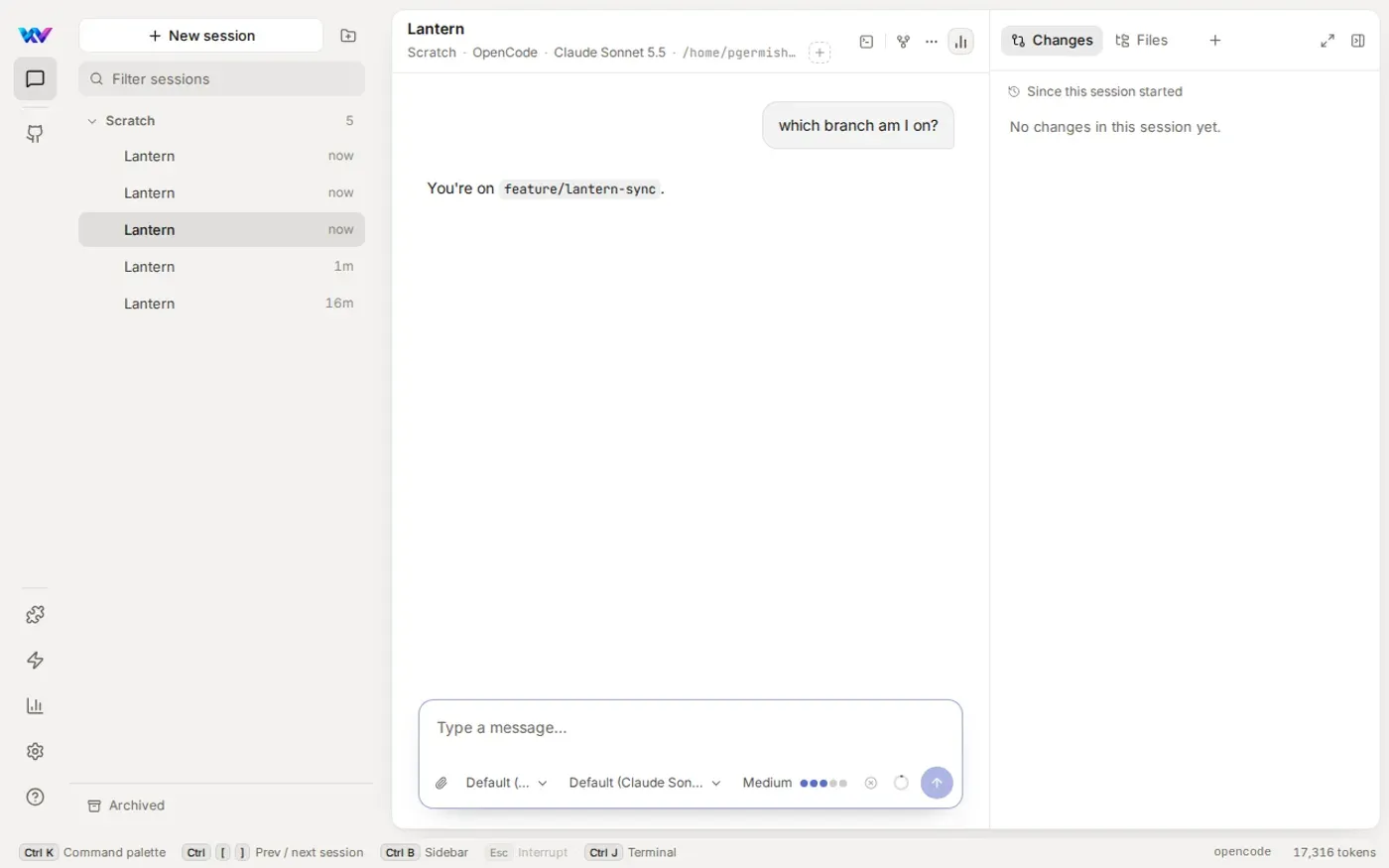
A session where the user asked which branch they are on and the agent answered feature/lantern-sync without running a commandA session where the user asked which branch they are on and the agent answered feature/lantern-sync without running a command

branch-context

When your prompt mentions branches, PRs, pushing or merging, the agent is told the session's git branch. Only the model gets the note; your bubble shows what you typed.

Ask an agent: When my prompt mentions branches, PRs, pushing or merging, tell the model which git branch the session is on. Don't change what I see in my message.

11 lines · Or install the sample: Settings → Mods → Showcase → Add · Read the source

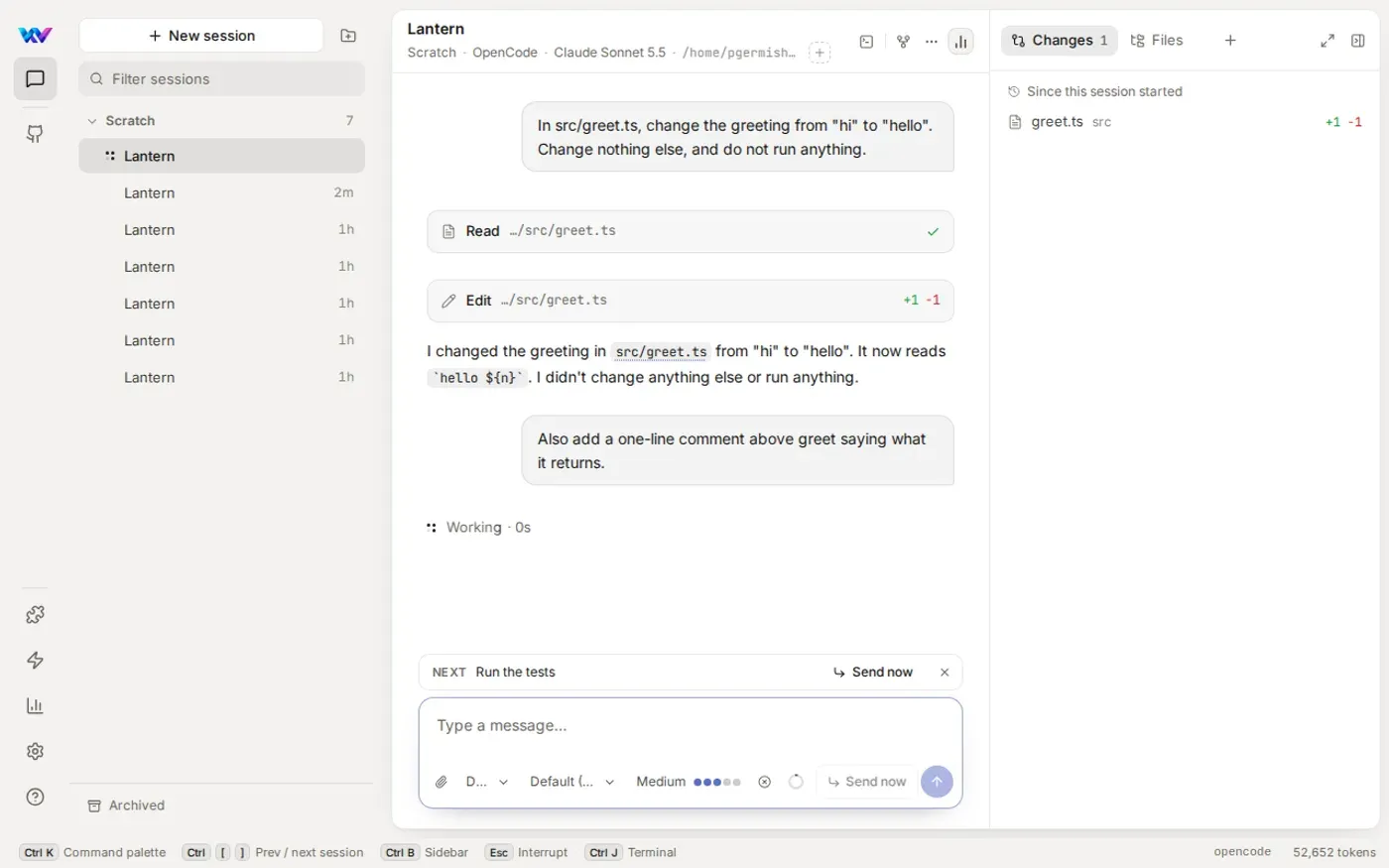
A session with a Run the tests message waiting as Next in the queue above the composerA session with a Run the tests message waiting as Next in the queue above the composer

tests-after-edits

When a turn ends having changed files (and wasn't stopped or failed), Run the tests is queued and sent next. A turn that changed no files queues nothing, and a mod can queue 3 follow-ups in a row before Fleet waits for you.

Ask an agent: When a turn ends and the agent changed files, queue a message saying Run the tests. Don't do it if I stopped the turn or it failed.

16 lines · Or install the sample: Settings → Mods → Showcase → Add · Read the source

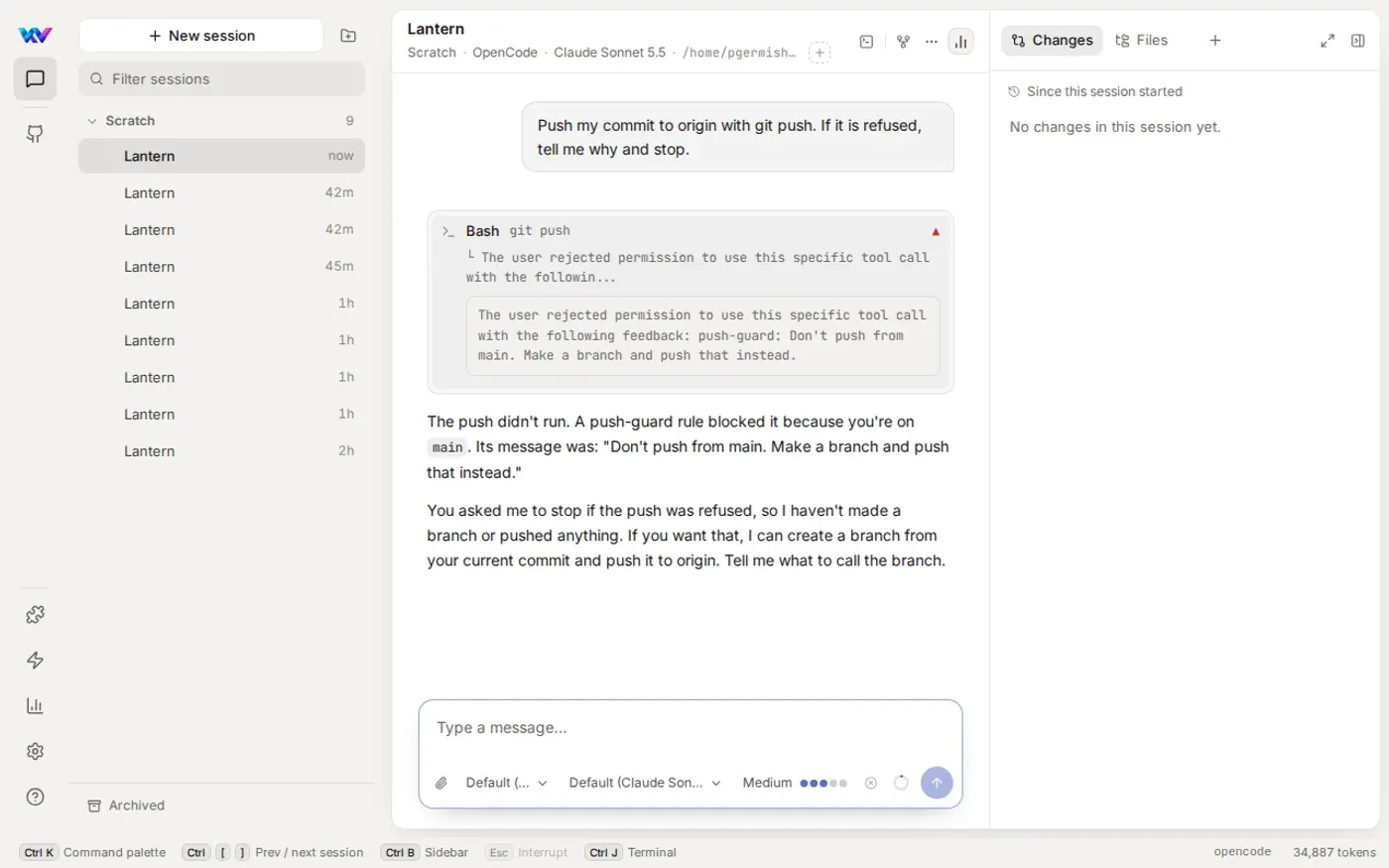
A git push row showing push-guard's reason, and the agent explaining that the push was blocked because the session is on mainA git push row showing push-guard's reason, and the agent explaining that the push was blocked because the session is on main

push-guard

The agent's git push is refused while the session is on main, with the reason Don't push from main. Make a branch and push that instead. You get no card; the agent is told why. Needs shell commands set to ask under Settings → Permissions.

Ask an agent: Refuse the agent's git push while the session is on main, and tell it to make a branch and push that instead.

10 lines · Or install the sample: Settings → Mods → Showcase → Add · Read the source

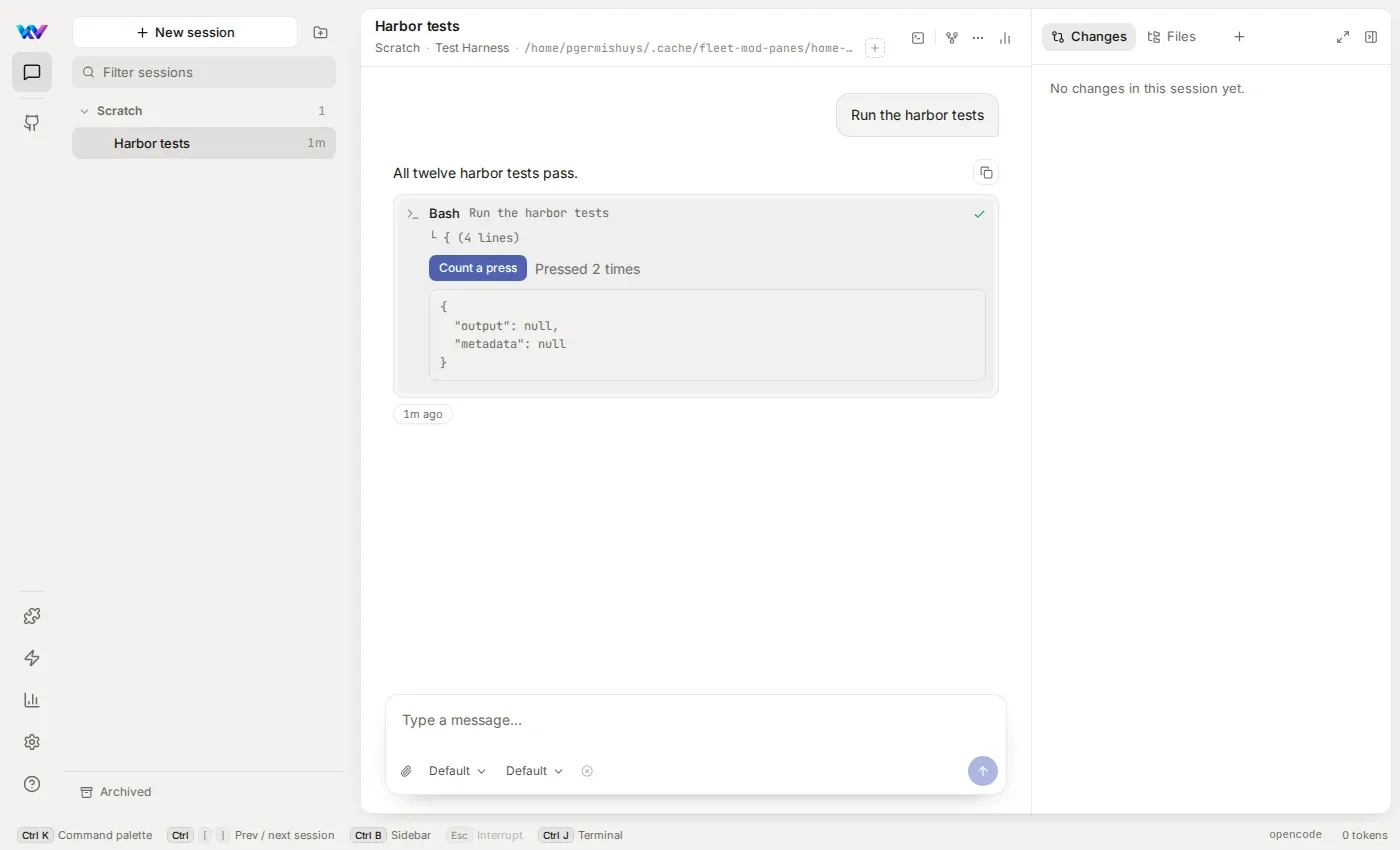
An opened Bash row with a Count a press button and the text Pressed 2 timesAn opened Bash row with a Count a press button and the text Pressed 2 times

press-counter

A Count a press button in the opened body of a shell row, and how many times it has been pressed. Pressing it reaches the mod and the row draws again, with no page load.

Ask an agent: Add a Count a press button to the opened body of shell rows, and show how many times it has been pressed in this session.

34 lines · Or install the sample: Settings → Mods → Showcase → Add · Read the source

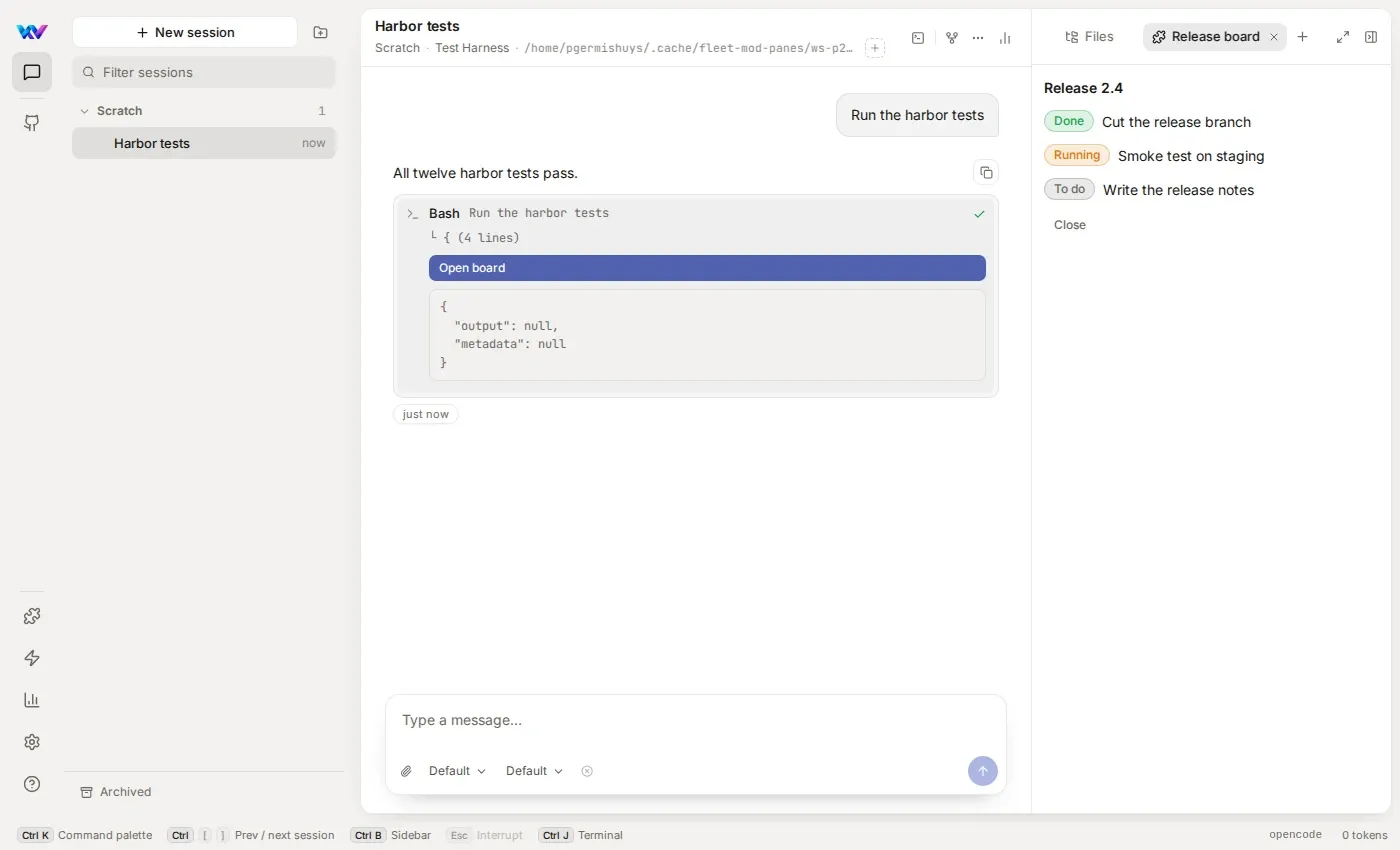
A session with the Release board tab open beside Files: three items marked Done, Running and To do, and a Close buttonA session with the Release board tab open beside Files: three items marked Done, Running and To do, and a Close button

release-board

A Release board tab next to Changes and Files, listed under From mods in the + menu. A shell row also gets an Open board button, and the tab has a Close button.

Ask an agent: Add a Release board pane to the + menu that lists three release steps with Done, Running and To do pills, with a Close button. Also add an Open board button to shell rows.

63 lines · Or install the sample: Settings → Mods → Showcase → Add · Read the source

Fleet’s repository holds all twelve in mods/samples. From Fleet 0.52.0 they’re in the Showcase under Settings → Mods: choose Add beside one and it’s kept like any mod you keep. In 0.50.0 and 0.51.0 they’re links under the Mods switch in Settings → Features, Try the test-chips sample, Try build-summary and so on (0.50.0 has only test-chips). On 0.50.0 you can still ask an agent for the six tool-row mods with the prompts above; the prompt, turn and permission hooks, buttons and panes need 0.51.0.

These are designs, not screenshots of the app. Mods draw on tool rows, in panes, in a band above the composer and in a status-bar chip, and the prompt, turn and permission hooks and working buttons are above. These designs are not available yet:

  • Allowing an ask for you. A permission hook can deny an ask today, but not yet answer it for you.
  • Toasts. $.ui.toast is accepted and shows nothing.
  • Pane tabs after a reload. A pane a mod opened has to be opened again from the + menu.
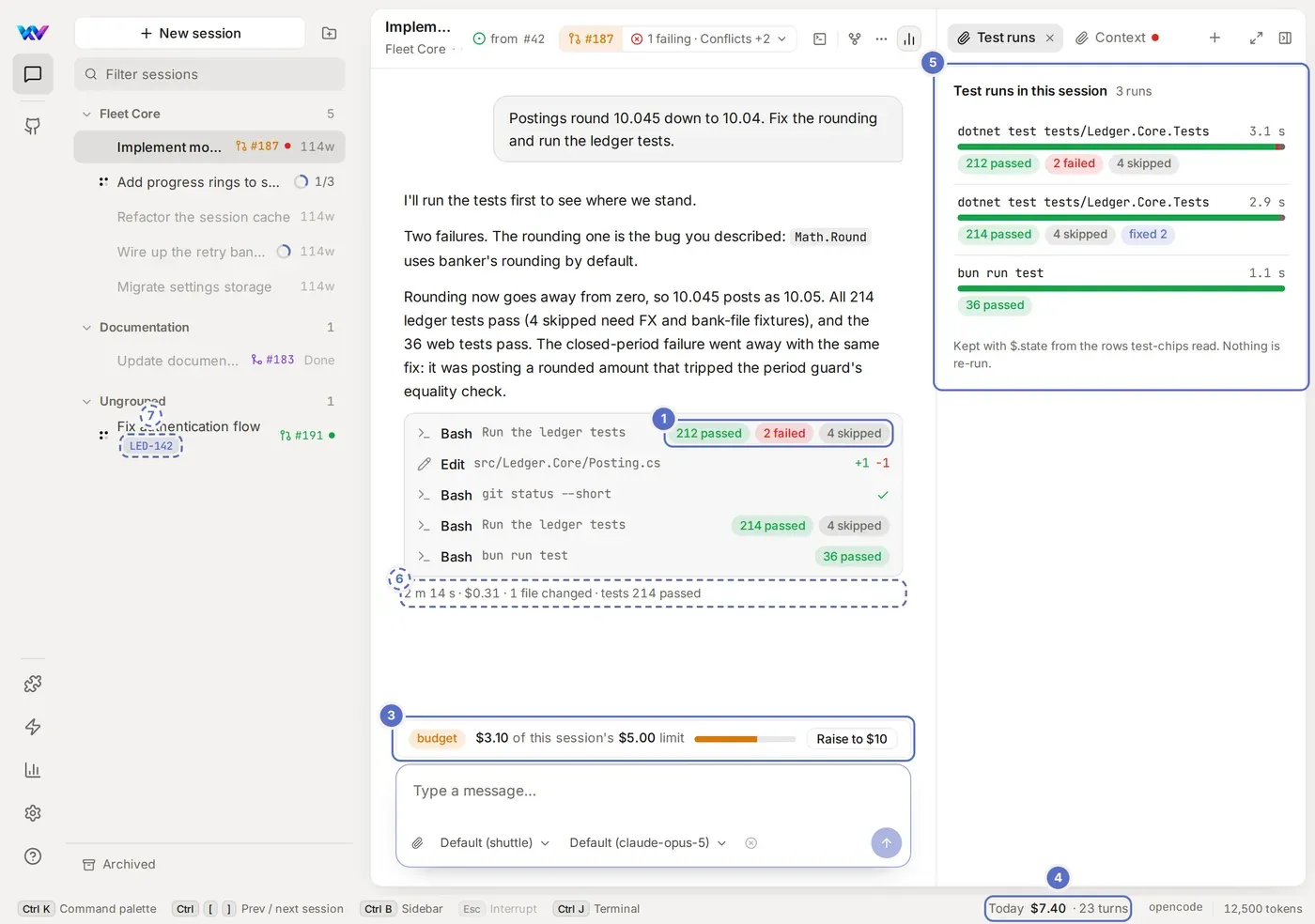
Design: a Fleet session with numbered places a mod could draw on: a tool row, a band above the composer, a status-bar chip, a pane beside the conversation

Design: the places a mod could draw on, numbered. Tool rows (1) work from 0.50.0 and panes (4) from 0.51.0; the band (2) and the chip (3) from 0.50.0 too.

Questions or something that doesn’t work? Open an issue in the Fleet repository.